
stats-js
JavaScript Performance Monitor



Last updated 8 years ago
by kev_nz
.
MIT
·
Repository
·
Bugs
·
Original npm
·
Tarball
·
package.json
$ npm install stats-js
SYNC missed versions from
official npm registry.
stats.js
JavaScript Performance Monitor
This class provides a simple info box that will help you monitor your code performance.
- FPS Frames rendered in the last second. The higher the number the better.
- MS Milliseconds needed to render a frame. The lower the number the better.
- MB MBytes of allocated memory. (Run Chrome with
--enable-precise-memory-info) - CUSTOM User-defined panel support.
Screenshots
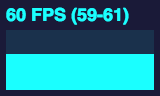
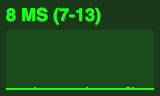
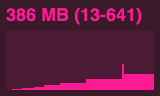
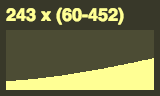
Usage
var stats = new Stats();
stats.showPanel( 1 ); // 0: fps, 1: ms, 2: mb, 3+: custom
document.body.appendChild( stats.dom );

function animate() {

	stats.begin();

	// monitored code goes here

	stats.end();

	requestAnimationFrame( animate );

}

requestAnimationFrame( animate );
Bookmarklet
You can add this code to any page using the following bookmarklet:
javascript:(function(){var script=document.createElement('script');script.onload=function(){var stats=new Stats();document.body.appendChild(stats.dom);requestAnimationFrame(function loop(){stats.update();requestAnimationFrame(loop)});};script.src='//cdn.jsdelivr.net/gh/Kevnz/stats.js/build/stats.min.js';document.head.appendChild(script);})()
Current Tags
- 1.0.1 ... latest (8 years ago)
3 Versions
- 1.0.1 ... 8 years ago
- 1.0.0 ... 8 years ago
- 1.0.0-alpha1 ... 12 years ago
 kev_nz